Alternatives to VMware in 2026: how to choose a virtualization platform and reduce costs
After the acquisition of VMware by Broadcom, the enterprise virtualization market has changed dramatically. The transition to a subscription model, the revision of the partner program and the rising cost of licensing are forcing companies to look for alternatives to the familiar infrastructure.
At the same time, replacing VMware is not just a matter of choosing a new hypervisor. Businesses need to maintain the stability of critical systems, provide technical support, control costs, and avoid dependence on the terms of a single supplier.
What alternatives to VMware are available in 2026? How do commercial platforms differ from open‑source solutions? And how to switch to a new infrastructure without critical downtime?
We’ll examine the key selection criteria and look at the capabilities of the vStack HCP hyperconverged platform.
Why companies are looking for alternatives to VMware
VMware has remained one of the standards in corporate virtualization for many years. However, after the acquisition by Broadcom, not only the licensing model changed, but also the very structure of interaction with customers and partners.
1. Rising licensing costs
One of the most noticeable changes was the abandonment of selling new perpetual licenses in favor of a subscription model.
In addition, Broadcom collapsed about 8,000 SKUs into four bundles.
For customers, this means that the cost of ownership may increase even without expanding the infrastructure. Companies have to pay for subscriptions and features that may be used only partially.
According to industry data presented at the vStack webinar, some organizations have seen renewal costs rise by 150–1,250%. This is not a universal increase for all customers: the actual changes depend on previous contracts, configuration, and the terms of the new offer.
2. Changes to the partner program
Broadcom has also reviewed the VMware Cloud Service Provider (VCSP) program.
On October 31, 2025, VCSP became invitation-only, and from January 26, 2026, contracts of partners not selected for the new program are no longer renewed.
This raises practical questions for corporate customers: who will renew licenses, provide technical support, and maintain infrastructure in the future?
This problem is especially relevant for organizations that are used to working with local integrators and service providers.
3. The complexity of long-term planning
The IT infrastructure is being designed for years to come. Companies are investing in servers, data storage systems, network equipment, and specialist training.
When licensing and partner support conditions change significantly, it becomes more difficult to plan the cost of operation.
Therefore, more and more organizations are considering alternatives to VMware not only to reduce costs, but also to increase the predictability of their IT strategy.
What alternatives to VMware are available in 2026
There are both open and commercial virtualization solutions on the market.
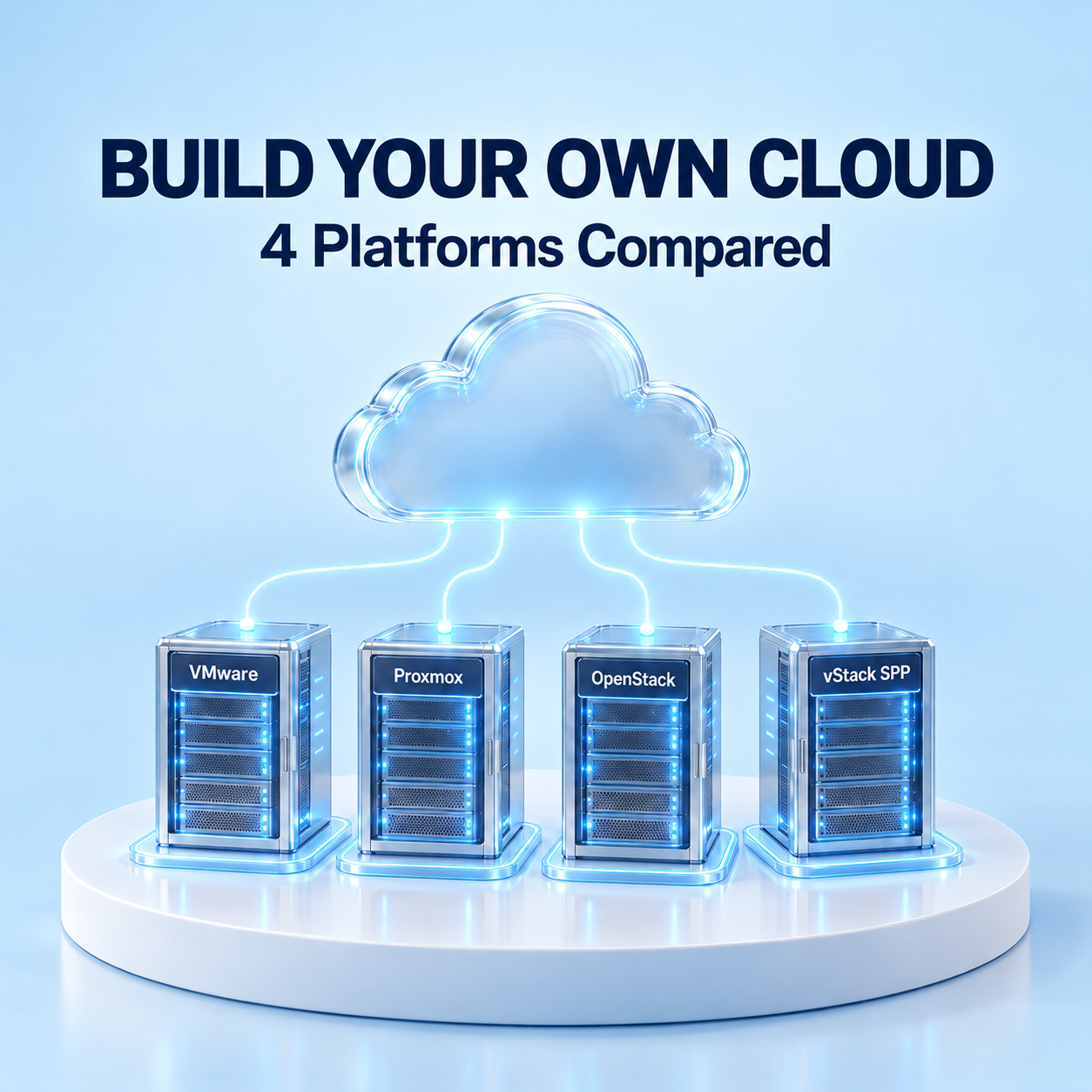
Among the most well-known options are Proxmox VE, OpenStack, oVirt and vStack HCP.
Each platform has its own architecture, support model, and operational requirements.
Proxmox VE
Proxmox VE is an open virtualization platform based on KVM and Linux Containers.
It allows you to manage virtual machines, containers, clusters, and storage through a single web dashboard.
The advantages of Proxmox are the absence of mandatory license fees and the ability to use commercial support.
However, in a large enterprise infrastructure, fault tolerance, automation, integration and maintenance have to be designed and supported by your own team.
OpenStack
OpenStack is an open cloud platform for managing computing, network, and storage resources.
It provides extensive automation capabilities and is suitable for building large‑scale private and public clouds.
At the same time, OpenStack is a set of interacting components. Their deployment, integration, updating, and maintenance may require significant engineering resources.
oVirt
oVirt is an open virtualization management platform based on KVM.
It provides tools for centralized management of virtual machines, hosts, and storage.
For a new enterprise project, check how actively oVirt is still being developed and who will support it in the long term.
vStack HCP
vStack HCP is a commercial hyperconverged platform that combines software-defined computing, storage, and networking.
It is designed to build corporate virtualized environments and cloud infrastructure with centralized management and vendor technical support.
Unlike solutions that require independent integration of multiple infrastructure components, vStack provides a single software stack.
Comparison of VMware Alternatives
Criteria
Proxmox VE
OpenStack
vStack HCP
Platform type
Open source
Open source
Commercial HCI platform
Primary purpose
Server virtualization
Cloud infrastructure
Virtualization and cloud infrastructure
Licensing
Open source with paid support options
Open source with optional commercial support
Perpetual per-socket licensing
Compute, storage, and networking
Integrated components
Modular architecture
Unified software stack
Centralized management
Yes
Yes
Yes
Support
Community and commercial support
Depends on the provider
Vendor support: 8×5 or 24×7
Deployment complexity
Depends on infrastructure scale
Generally high
Lower: one integrated stack
The comparison highlights that there is no one-size-fits-all solution. The right platform depends on the scale of the infrastructure, support requirements, and the capabilities of the in-house IT team.
Why free virtualization isn’t always cheaper
The cost of licenses is only one component of the Total Cost of Ownership (TCO), or the total cost of ownership.
When comparing platforms, you need to take into account:
Equipment. The number of servers, requirements for processors, RAM, storage, and networks.
Integration. Time for design, integration, testing, and migration.
Operation. Costs for administration, monitoring, updates, and troubleshooting.
Support. Availability of specialists, SLA, and terms of interaction with the supplier.
Scalability. The ability to increase the number of virtual machines without a proportional increase in hardware resources.
For example, an open platform may not require license fees, but it will require a team of engineers with relevant competencies to support it.
A commercial solution, on the other hand, involves licensing costs, but it can reduce the complexity of infrastructure management and integration.
That is why it makes sense to compare costs over three to five years rather than just the initial investment.
vStack HCP: a single platform for computing, storage, and networking
vStack HCP uses a hyperconverged architecture that combines three infrastructure layers:
Software-Defined Compute (SDC) - management of computing resources and virtual machines.
Software-Defined Storage (SDS) - software-defined data storage.
Software-Defined Networking (SDN) - virtual networks and management of network resources.
All components operate within a single platform and are managed via vStack Center.
Efficient use of processor resources
One of the features of vStack is adaptive vCPU quantization.
The technology allows for oversubscription of processor resources up to 900% under suitable load characteristics.
This means that the number of virtual processors can exceed the number of physical computing resources.
However, the actual efficiency depends on the application profile, the nature of CPU consumption, and performance requirements. The maximum oversubscription ratio should not be considered a universal setting for any workload.
Centralized management
vStack Center allows you to manage clusters, virtual machines, storage, and networks through a single panel.
The administrator receives information about resource utilization, infrastructure status, and available capacity.
Role-based access control, quotas for virtual data centers, and automation via the JSON-RPC API are supported.
Flexible licensing
For local deployment, vStack HCP offers perpetual licenses based on the number of processor sockets.
Standard, Advanced, Enterprise, and Enterprise Plus editions are available.
Support and updates are purchased separately for one, three, or five years with 8×5 or 24×7 coverage; the first year of support is mandatory.
This model allows companies to separate ownership of a software platform from regular maintenance costs.
How to migrate from VMware to vStack
The transition to another virtualization platform should not begin with shutting down the existing infrastructure.
The optimal approach is a phased migration, during which both environments run in parallel for some time. Since version 3.2, vStack HCP Unified Storage can also serve storage to existing VMware ESXi hosts over NVMe-oF/TCP or iSCSI, so storage can be consolidated first and virtual machines moved later.
Stage 1. Infrastructure audit
Specialists analyze the current VMware environment: the number of virtual machines, resource utilization, application requirements, and dependencies between services.
Based on the data obtained, the configuration of the future infrastructure is determined.
Stage 2. Pilot implementation
A test vStack cluster is deployed on compatible hardware.
The pilot tests performance, fault tolerance, application compatibility, and control scenarios.
Stage 3. Migration planning
The sequence of virtual machine migration, acceptable maintenance windows, and recovery procedures in case of errors are determined.
VMs can be moved via OVF/OVA export and import or with the MIND Migrate tool.
Stage 4. Transferring workloads
VMs are migrated in coordinated groups.
After each group, the applications, network connections, and data integrity are checked.
Stage 5. Completion of the transition
After successful testing and transfer of the necessary systems, the company can gradually decommission VMware.
The possibility of a zero‑downtime migration depends on the specific environment, tools, and application architecture.
The Serverspace case: how to reduce the cost of cloud infrastructure
The international cloud provider Serverspace, with more than 5,000 customers, has been running vStack in production since 2019.
The company was looking for a way to reduce licensing and hardware costs while maintaining the performance and reliability of cloud services.
At the first stage, Serverspace tested OpenStack, but the results of oversubscribing the CPU did not meet the provider's requirements.
The company then chose vStack and deployed the new platform in parallel with VMware to evaluate its capabilities on real-world loads.
According to the case study presented at the webinar, the following results were achieved:
The cost of a similar virtual machine was about 50% of the cost on VMware.
Creating a virtual machine takes approximately one second, and preparing it for operation takes 15-40 seconds.
With managed vStack, the whole platform can be run by a single administrator.
The results reflect a specific Serverspace scenario and do not guarantee similar savings for any infrastructure.
Nevertheless, the case demonstrates that the migration effect can consist of reducing licensing costs, increasing the density of virtual machines, and simplifying administration.
Digital sovereignty and virtualization in the UAE and Saudi Arabia
For companies in the Middle East, when choosing an infrastructure platform, it is important not only to consider performance and cost, but also to have control over data placement.
In the UAE and Saudi Arabia, organizations take into account the requirements for information security, data localization, and management of critical systems.
vStack HCP can be deployed on the company’s own equipment or in a selected data center.
This allows for control over the physical placement of the infrastructure and administrative access: any remote monitoring or vendor support access is agreed with the customer in advance and is not possible without the customer’s permission.
At the same time, compliance with specific regulatory requirements depends on the entire solution architecture, including backup, monitoring, and support procedures.
FAQ
What is the best alternative to VMware for corporate infrastructure?
The choice depends on the scale, fault tolerance requirements, budget, and team competencies. Proxmox may be suitable for organizations that prefer open solutions. OpenStack is focused on cloud architectures. vStack HCP offers an integrated commercial platform with vendor support.
Is it possible to switch from VMware without stopping the business?
The platforms can run in parallel, and the migration can be carried out in stages. However, the possibility of migrating specific systems without downtime is determined after a technical audit.
How does vStack differ from VMware?
vStack combines computing, storage, and networking in a single HCI platform and uses perpetual per-socket licensing. VMware uses a different product architecture and subscription-based licensing model.
Can vStack be used in your own data center?
Yes. The platform is designed for deployment on compatible server hardware, including in corporate and partner data centers.
How can I estimate the cost of migration?
It is necessary to audit the current environment, determine equipment requirements, calculate licenses, support, labor costs, and expected operating costs.
Conclusion
Changes in VMware licensing have led to a review of infrastructure strategies for many organizations.
However, the choice of an alternative platform should not be based solely on the cost of licenses. It is important to consider the total cost of ownership, scalability options, technical support, and the complexity of migration.
vStack HCP offers a commercial hyperconverged platform with centralized management, perpetual licensing, and vendor support.
ITGLOBAL.COM is the official distributor of vStack in the MENA region. Our specialists will help you assess your existing infrastructure, select the platform configuration, and organize a pilot implementation.
Are you considering an alternative to VMware?
text_with_btn btn="Contact us" id="50"Discuss migration and get a personalized quote /text_with_btn